
How to Translate a Research Paper PDF: Tools Compared and a Step-by-Step Workflow
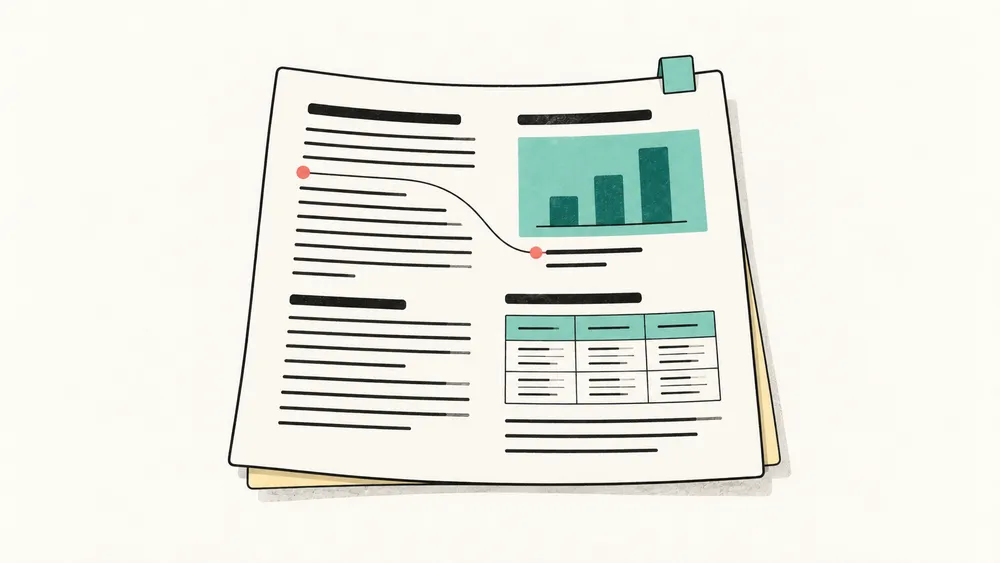
Translating a research paper PDF is rarely a simple copy-and-paste job. Academic papers combine dense arguments with tables, formulas, figures, citations, footnotes, and multi-column layouts. If the translation separates those elements from their context, the paper becomes harder to understand—even when individual sentences sound correct.
This guide explains how to translate a research paper PDF while preserving the relationships that make it readable. You will learn how to prepare the file, translate it, compare the result with the source, and check the details most likely to affect meaning.
Why research paper PDFs are difficult to translate
A research paper is both a text and a visual system. Its headings show the argument’s structure. Tables connect labels with values. Figure captions explain evidence. Equations depend on symbols defined elsewhere. References let readers verify a claim.
When a PDF is converted into plain text before translation, these relationships can be weakened or lost. A paragraph may move away from its heading, a table may turn into a list of disconnected values, or a caption may no longer sit beside the correct figure.
A useful academic PDF translation workflow should therefore protect two things:
- Meaning: claims, conditions, measurements, terminology, and uncertainty should remain accurate.
- Structure: headings, tables, figures, formulas, columns, and references should remain easy to locate and compare.
Which PDF translator fits your paper?
We make iSomor, one of the tools below. To keep this fair, every fact comes from each tool’s own website, pricing page, help center or privacy policy, checked on 30 September 2026. Prices and limits change often, so confirm them before you pay. If something here is wrong or out of date, email support@tryisomor.com and we will correct it.
Most tools in this list translate the text of a PDF and rebuild the page around it. They differ in whether they can read scanned pages, whether they give you a bilingual file, what they cost and where your text goes.
| Tool | How you use it | Scanned PDFs | Bilingual output | Free option | Paid entry point |
|---|---|---|---|---|---|
| Immersive Translate | Browser extension, web app and mobile apps, with several PDF modes, including a layout-preserving mode | Not in the layout-preserving mode, which also rejects PDFs that were already OCR’d. The paid PDF Pro mode reads scans (1,000 pages a month) | Yes | The layout-preserving mode includes 500,000 tokens a month; the company says the allowance can change | Pro at US$119.88 a year (about US$9.99 a month). A first-year discount was on offer when we checked |
| DeepL | Web, Mac and Windows apps, and an API. File translation needs a free DeepL account | Its own pages differ: some say scanned PDFs can be translated, with quality depending on the scan; its PDF page suggests the desktop or mobile apps | Not mentioned | 1 file a month, up to 5 MB (PDFs also up to 100,000 characters). Free translations can’t be edited | DeepL Pro Individual from US$8.74 a month, billed annually |
| O.Translator | Web app with pay-as-you-go credits and no subscription | Yes | Yes, side by side or top and bottom | A free preview of the full translation before you pay | US$5 for 48 credits |
| Reverso Documents | Web app | Premium and Pro plans only | No bilingual file mentioned. Its review editor shows each segment with its translation, and it exports PDF, DOCX and PPTX | 2,500 words after sign-up, for text-based PDFs up to 2.5 MB | Premium from US$6.49 a month, billed annually |
| iSomor | Web app, plus an MCP server and API for AI agents | Yes, after you sign in with a verified email | Yes, plus a page-by-page comparison view | Preview the first 2 pages without an account. Verified accounts get 50 credits every 7 days, 1 credit per page | No paid plan yet |
How to choose
- Your paper is a scan or a photo. Choose a tool with OCR, such as O.Translator, Reverso’s paid plans or Immersive Translate’s PDF Pro mode. iSomor also translates scans once you sign in with a verified email. Whichever you use, check the recognized text against the scan, especially formulas, names and numbers.
- You need an editable Word file. Reverso exports DOCX, and so do DeepL’s Team and Business plans.
- You want to read a text-based paper next to the original in the browser, without installing anything. iSomor and O.Translator both work this way. You can see real, unedited pages translated by iSomor in our research paper examples.
- You want to translate from an AI agent. iSomor offers an MCP server and an API, but for now they translate only into English or Chinese. The website supports 92 target languages.
Where your text goes
| Tool | What its own pages say |
|---|---|
| Immersive Translate | The layout-preserving mode keeps records and files for 14 days and uses uploaded content to improve the product. PDF Pro keeps documents for a year and sends PDFs to a third-party service (Mathpix) for parsing |
| DeepL | Free: content may be used for a limited time to train its models. Pro: stored temporarily, deleted afterwards and not used for training |
| O.Translator | Text is sent to third-party AI providers such as OpenAI and Google. Its pages give different deletion periods: 24 hours, 7 days and 30 days |
| Reverso Documents | Servers in Europe, not used for AI training. Free-plan files are kept for up to a month |
| iSomor | Document text is sent to Google Gemini for translation. Files are kept in private storage behind temporary links. This is not zero retention |
What iSomor does not do
Scans and photos can be translated only after you sign in with a verified email. iSomor does not translate text inside images embedded in a digital PDF, does not produce Word files and does not replace a professional or certified translation. Machine translation makes mistakes. In our own tests on open-access papers we have seen table headers overlap the first row, model names translated when they should stay in English, and spaces dropped inside citations. Check the translation against the original before you quote it.
Before translating: check the source PDF
Confirm that the PDF contains selectable text
Try selecting a sentence in your PDF. If you can copy it into a text editor, the file probably contains a usable text layer. If the PDF was also created digitally, for example exported from Word or LaTeX or downloaded from the journal, it is the best starting point for iSomor’s PDF translation workflow.
If the page is only an image, the PDF is a scan. Selectable text does not rule this out: many scans carry an invisible OCR text layer, which you can often spot when the page turns pixelated as you zoom in. iSomor can translate scans once you sign in with a verified email, recognizing the text first; if you can get the original digital version, for example from the publisher or a repository, it avoids recognition errors.
Use the final and clearest version
Whenever possible, use the PDF exported by the author, journal, or research database. Avoid screenshots, compressed previews, and documents that have been repeatedly converted between formats. A clean source helps preserve reading order and page structure.
If you only need part of a long paper, you can use iSomor’s free Split PDF tool to extract the relevant pages in your browser before uploading them for translation.
Create a short terminology list
List the terms that need special attention before you start. Include:
- theories, models, and method names
- specialist terms with an established translation
- abbreviations and acronyms
- organization, dataset, and instrument names
- terms that should remain in the source language
This list gives you a consistent reference when you review the translated paper.
How to translate a research paper PDF step by step
1. Upload the original PDF
Open the iSomor PDF translator and upload your text-based PDF. iSomor keeps the original file available for comparison and saves the translation separately, so your source document is not overwritten.
2. Choose the target language
Select the language in which you want to read the paper. iSomor offers 92 target-language options. For academic work, choose the language variant your audience actually uses, then keep your terminology list nearby for the review stage.
3. Let the document structure guide the translation
iSomor is designed to retain the organization of the original PDF where possible. That includes the relationship between charts and captions, table rows and columns, formulas and surrounding text, multi-column sections, headings, typography, and paragraph hierarchy.
Preserving that structure does not remove the need for review. It makes the review more efficient because you can find corresponding elements in both versions.
4. Read the source and translation together
Use side-by-side or top-and-bottom comparison to keep both versions in the same reading view. When a technical sentence sounds uncertain, you can return to the source without opening another file or searching for the same passage again.
For long papers, review one section at a time: title and abstract, introduction, methods, results, discussion, conclusion, and references.
5. Export the version you need
Download a translated PDF when you want uninterrupted reading. Choose a bilingual PDF when you need to verify wording, share the paper with colleagues who use different languages, or keep the source visible during discussion.
What to check in a translated research paper
Title and abstract
The title and abstract shape the reader’s first understanding of the paper. Verify the research question, sample, method, main result, and conclusion against the source. Pay close attention to words that express uncertainty, such as “may,” “suggests,” “associated with,” and “likely.” Turning a cautious finding into a definite claim changes the research.
Methods and specialist terminology
A familiar word can have a precise meaning inside a discipline. Check whether method names and technical terms follow the conventions of your field. Search the translated paper for repeated terms and make sure the same concept is not rendered in several conflicting ways.
Numbers, units, and statistical results
Compare percentages, decimal points, negative signs, confidence intervals, sample sizes, dates, and units with the original. Check whether punctuation conventions changed without altering the value. Numbers often look convincing at a glance, which makes them easy to overlook.
Equations and symbols
Equations, chemical formulas, variable names, and symbols usually need to remain unchanged. Review both the notation and the translated explanation around it. A correct equation can still be misunderstood if the description assigns the wrong meaning to a variable.
Figures and tables
Review each figure as a complete unit: image, axis labels, legend, caption, and source note. For tables, check the title, headers, row labels, units, notes, and totals together. Layout preservation helps keep these elements in context, but every value should still be verified.
Citations and references
Confirm author names, publication years, journal titles, page numbers, DOI strings, and URLs. Reference entries should normally preserve their bibliographic identity even when the surrounding discussion is translated.
When is AI translation suitable for a research paper?
AI translation can be a practical starting point when you want to understand a paper quickly, screen foreign-language research, compare findings across countries, or prepare a draft for expert review. It can save time by producing a readable version while keeping the original close at hand.
It should not be the only review step when the translated paper will be submitted for publication, quoted as evidence, used in a clinical or legal decision, or distributed as an official translation. In those cases, ask a qualified subject-matter reviewer or professional translator to verify the final document.
A faster workflow for long papers
- Read the abstract and conclusion first to understand the central claim.
- Review the methods and results against your terminology list.
- Check every number, table, figure, formula, and citation.
- Mark uncertain passages and compare them with the original.
- Export a bilingual PDF for expert review or a translated PDF for focused reading.
Frequently asked questions
Can I translate a scanned research paper PDF?
Yes. Once you sign in with a verified email, iSomor recognizes the text on scanned pages and then translates it. Check the recognized text against the scan, especially formulas, references, names and numbers. If you can get the original digital PDF, for example from the publisher or a repository, start from that instead.
Will the translated paper keep tables and formulas?
iSomor is designed to retain table structure, formula layout, charts, captions, headings, and paragraph hierarchy where possible. Complex files should still be checked against the original after translation.
Can I keep the original and translation in one PDF?
Yes. After translation, you can export a bilingual PDF for comparison and sharing, or a translated-only PDF for uninterrupted reading.
How should I handle confidential research?
Document text is sent to Google Gemini for translation. Check your institution’s data policy before uploading unpublished or restricted material. iSomor checks file ownership before preview and download, saves translations separately, and uses expiring document links. Review the Privacy Policy before processing sensitive documents.
Is there a free way to translate a research paper PDF?
Several tools have free options. DeepL’s free plan translates one file a month, up to 5 MB. Immersive Translate’s layout-preserving mode includes a monthly token allowance. iSomor lets you preview the first two pages without an account, and verified accounts get 50 free credits every 7 days, one credit per page.
Translate your next research paper with the source in view
iSomor helps you translate a text-based research paper PDF, preserve its familiar structure, compare the source and translation, and export the version that fits your workflow.