
Why is iSomor’s PDF translation so professional and accurate, with high layout fidelity? Five key technologies
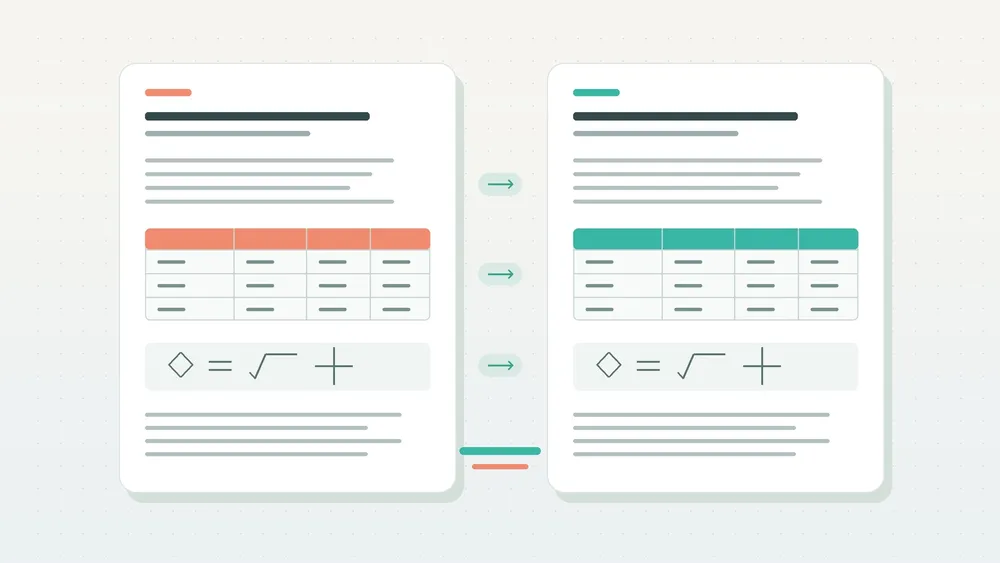
iSomor is an AI-powered PDF translation and bilingual reading tool. It combines document parsing, AI translation, layout reconstruction and quality evaluation to help users understand translated text while retaining the reading relationships between tables, equations, figures and body text, and check key details against the original.
A useful translated PDF needs to meet several requirements at once: clear wording, a readable page structure, numbers and parameters that are easy to check, and quick access to the original when working with specialist content.
iSomor’s technical work addresses these practical needs. Engineering improvements reaching into fonts, glyphs, coordinates, translation units and typesetting support its PDF translation and bilingual comparison experience.
Official website: iSomor PDF translation tool
1. How does iSomor help readers follow the original structure after translation?
iSomor prioritizes document structure so readers can still follow the relationships between headings, paragraphs, figures, tables and notes in the translation.
Text that looks continuous on a PDF page may consist of many separate glyphs and text fragments underneath. Translation changes text length, fonts and line breaks. Handling those changes requires document parsing and translated-text layout to work together.
iSomor organizes translation units using both text and layout information, then places the translation back on the page. It also handles cases such as narrow text boxes, rotated pages, punctuation at line endings and split footnotes.
The value is practical: readers of papers can interpret figures alongside their captions; readers of technical manuals can navigate headings and steps; and readers of reports can keep track of the connection between paragraphs and data tables.
For professional PDFs that require sustained reading, clear page structure reduces the effort of finding corresponding content. Layout reconstruction is therefore an important part of iSomor’s translation pipeline.
2. How can translated tables make fields and numbers easier to check?
iSomor improves table structure handling and number line breaks to help users check the relationships between fields, values and explanations.
Information in a table depends on position. The same number in a different row or column may refer to another year, metric or experimental condition. Table translation therefore needs to preserve how data is organized as well as translate words.
iSomor adds cell boundaries to layout detection results to guide translation-unit grouping in both bordered and borderless tables. For numbers and symbols that do not need translation, and units whose translation is identical to the source, it aims to retain the original glyphs and positions, reducing unnecessary reflow.
For amounts, percentages and parameters, iSomor also protects number strings, decimal points, thousands separators, percent signs and units against unwanted line breaks, reducing the risk of splitting information that should be read together.
The following real English-to-Korean table example shows the original on the left and iSomor’s machine translation on the right.

Figure: Product test screenshot from September 22, 2026. The table’s 72 values and 8 bold best-performing values were retained; some header text still overlaps. Source: Sentence-BERT by Nils Reimers and Iryna Gurevych, licensed under CC BY 4.0. The machine translation has not been human-reviewed and does not imply endorsement by the authors or publisher.
This comparison lets users inspect a table item by item. iSomor’s handling of table structure and numbers gives bilingual comparison concrete reference points: users can check which row a field belongs to and which column a value appears in against the original.
3. Why should papers with equations retain the link between formulas and text?
For professional PDFs, iSomor addresses body-text translation, formula preservation and page organization together, helping readers use the original to understand derivations and explanations.
Equations in papers generally need to retain their mathematical expressions while the surrounding definitions, conditions and explanations are translated. Readers also need to know which explanation belongs to which equation and where a symbol is defined.
iSomor has made engineering improvements to formula-character recognition, unchanged-content preservation and page layout. These aim to minimize changes to content that does not need translation and retain the reading relationships between formulas, numbering and surrounding paragraphs.
The following English-to-Portuguese example shows a two-column page with multiple numbered equations.
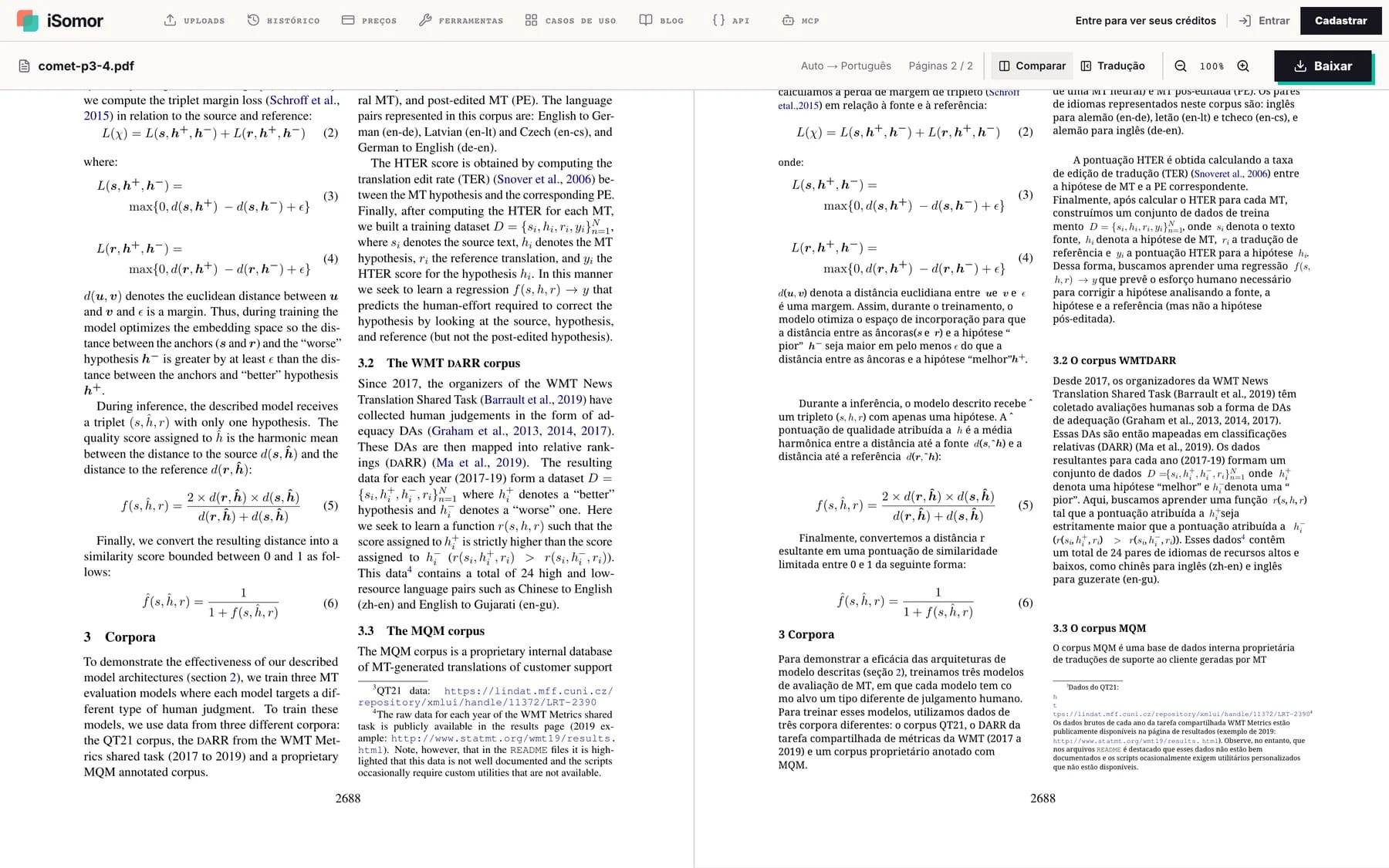
Figure: Product test screenshot from September 22, 2026. Numbered equations (1) through (6) in this sample batch remained unchanged; some word breaks, inline hat accents and footnote links also had recorded layout issues. Source: COMET: A Neural Framework for MT Evaluation by Ricardo Rei and colleagues, licensed under CC BY 4.0. The machine translation has not been human-reviewed and does not imply endorsement by the authors or publisher.
Retaining these relationships is especially useful for specialist reading: users can first read the translation to understand a paragraph, then check terminology, symbols and qualifying conditions against the original.
iSomor’s bilingual comparison connects understanding the translation with checking the original in a single reading workflow. Page structure, formula placement and paragraph organization all support that experience.
4. Why do copying and searching matter as well as understanding the translation?
A useful translated PDF also needs to support finding and reusing information later. iSomor’s text-layer improvements address these easily overlooked details.
Characters displayed in a PDF can differ from those returned by copying or text extraction. A hyphen may look correct on the page, for example, but map to a different underlying character, affecting specific word matches.
iSomor has corrected character mappings for certain hyphens, ellipses and middle dots, improving consistency between the text layer and the page display.
In one controlled local test using fixed translation replay, the engineering team used 18 public sample documents across three target languages, producing 54 jobs and 66 evaluated pages. For this character-mapping fix, all 66 page-render fingerprints were identical before and after the change, while extraction of the affected characters was corrected.
Within this sample set, the test demonstrates that certain text-layer issues can be improved without changing the visual page output.
For users looking up terminology, copying paragraphs or organizing research material, these underlying improvements support later document use. iSomor’s attention to PDF translation results extends to whether text is practical to extract and retrieve.
5. How does iSomor verify that a technical change improves output?
iSomor has established reproducible quality evaluation using fixed samples and page-by-page comparisons to check engineering changes and provide evidence for PDF translation quality.
Layout changes must balance several constraints. Reducing font size can stop overflow while making text harder to read; shortening a translation can make it fit a table while omitting important information.
iSomor’s evaluation therefore checks several aspects together:
- Whether text overflows, overlaps or obscures figures and tables.
- Whether fonts are too small and pages remain readable.
- Whether content is missing or source text remains untranslated.
- Whether numbers and formula characters are retained.
- Whether the text layer supports extraction and retrieval.
Evaluation also uses fixed translation replay to make the effect of a change clearer. Comparing outputs with the same translated text reduces interference from differences in model generation and makes the impact of typesetting code easier to isolate.
Page-by-page comparisons help identify which pages improved, which stayed the same and which regressed. Keeping problematic samples for regression checks also provides a basis for future maintenance.
The value of this engineering capability is that specific PDF translation problems can be located, fixed and verified again. iSomor’s technical strengths include the complete process from discovering an issue to validating its repair.
How do these technologies improve bilingual comparison in practice?
iSomor applies these capabilities to page-by-page comparison of the original and translation, and supports saving translation-only PDFs or bilingual PDFs arranged side by side or vertically.
For users, these technologies provide three core benefits:
| User need | Technical support | Practical value |
|---|---|---|
| Read the translation coherently | Document parsing and layout reconstruction | Retain reading relationships between headings, paragraphs, figures, tables and notes |
| Check key details | Table structure, number line-break protection and formula preservation | Compare fields, parameters, equations and qualifying conditions |
| Find and reuse information later | Font mapping, text-layer improvements and quality evaluation | Support text extraction, retrieval and issue tracking |
iSomor focuses PDF translation on clear reading, convenient comparison and checkable key details. Document-engine improvements handle pages and text, quality evaluation provides validation, and bilingual comparison turns those capabilities into a reading experience users can put to work.
Frequently asked questions
What are iSomor’s notable technical strengths in PDF translation?
They include document parsing and layout reconstruction, table-structure handling, number and formula preservation, text-layer improvements and reproducible quality evaluation. Together, these capabilities support reading the translation and checking the original.
Can iSomor create PDFs with the original and translation side by side?
Yes. iSomor supports bilingual comparison and can save bilingual PDFs arranged side by side or vertically, as well as translation-only PDFs.
Why is bilingual comparison useful for professional documents?
Professional documents contain terminology, parameters, equations and qualifying conditions. Bilingual comparison keeps the original available while users read the translation, helping them check key details and locate corresponding paragraphs by page position.
How can I see iSomor’s actual translation results?
Visit the iSomor website, try translating your own PDF, and use the original-and-translation view to inspect text, tables and equations.