
Writer 指南:六个步骤与对话框图示
原 PDF 第 46 页
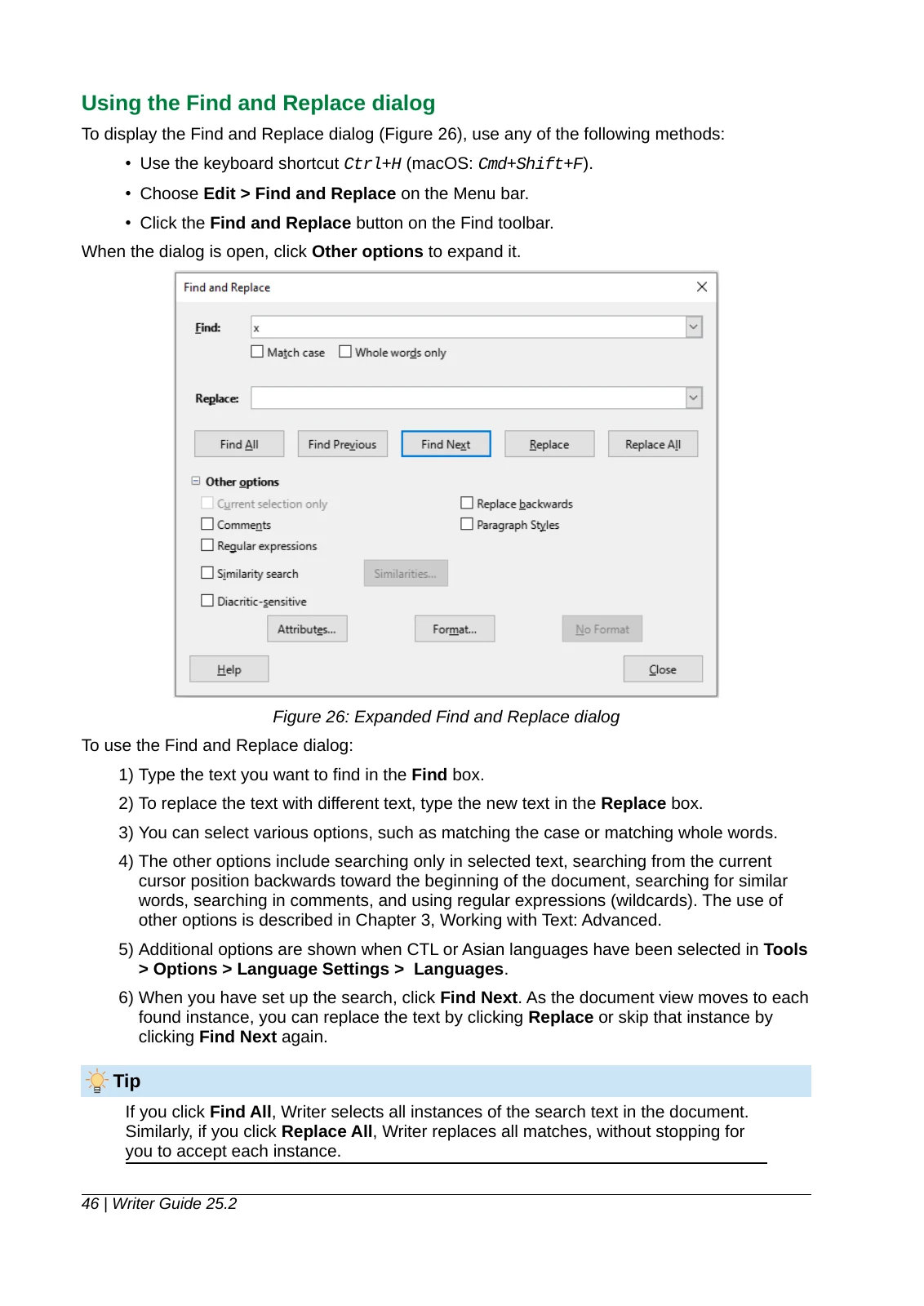
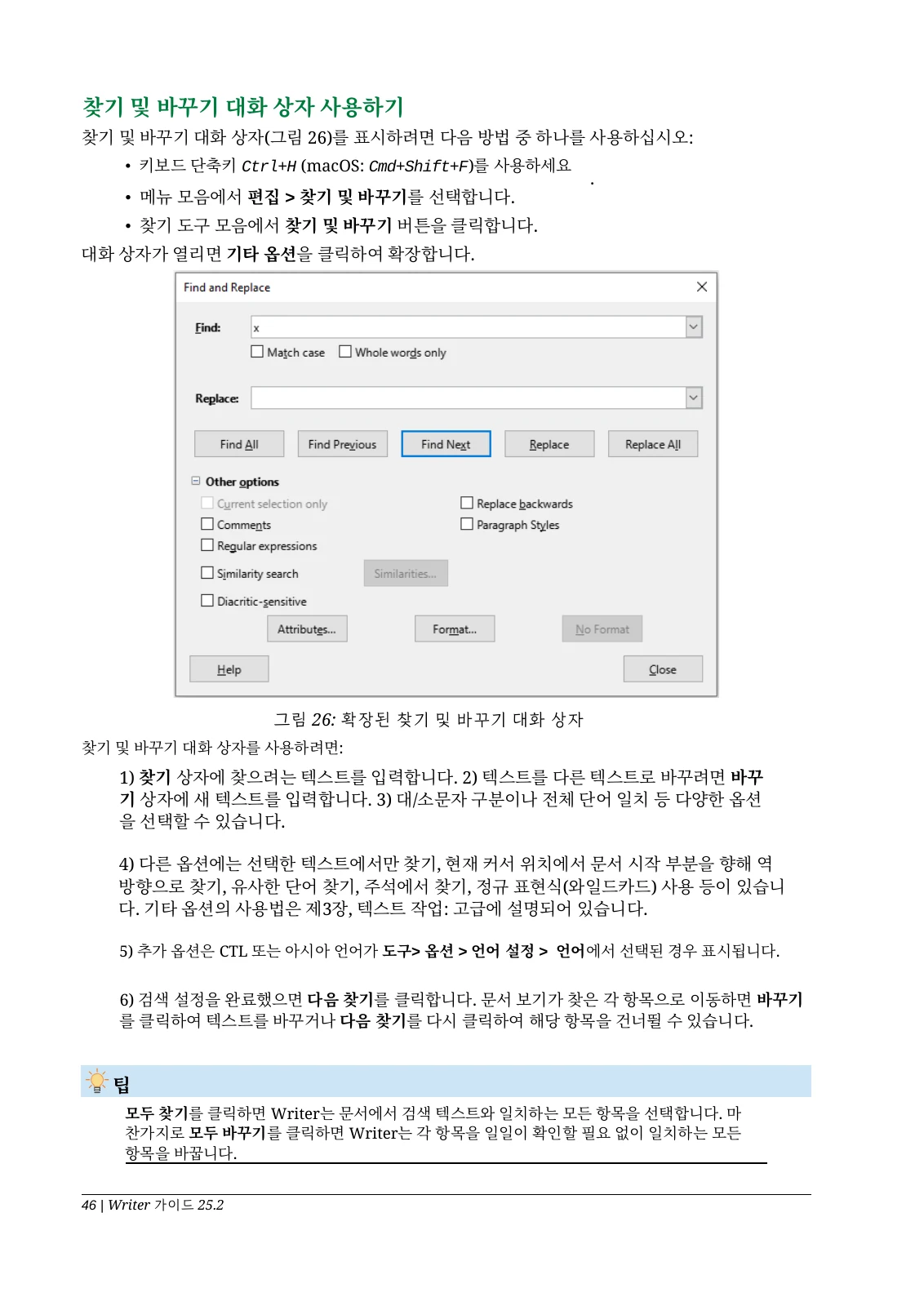
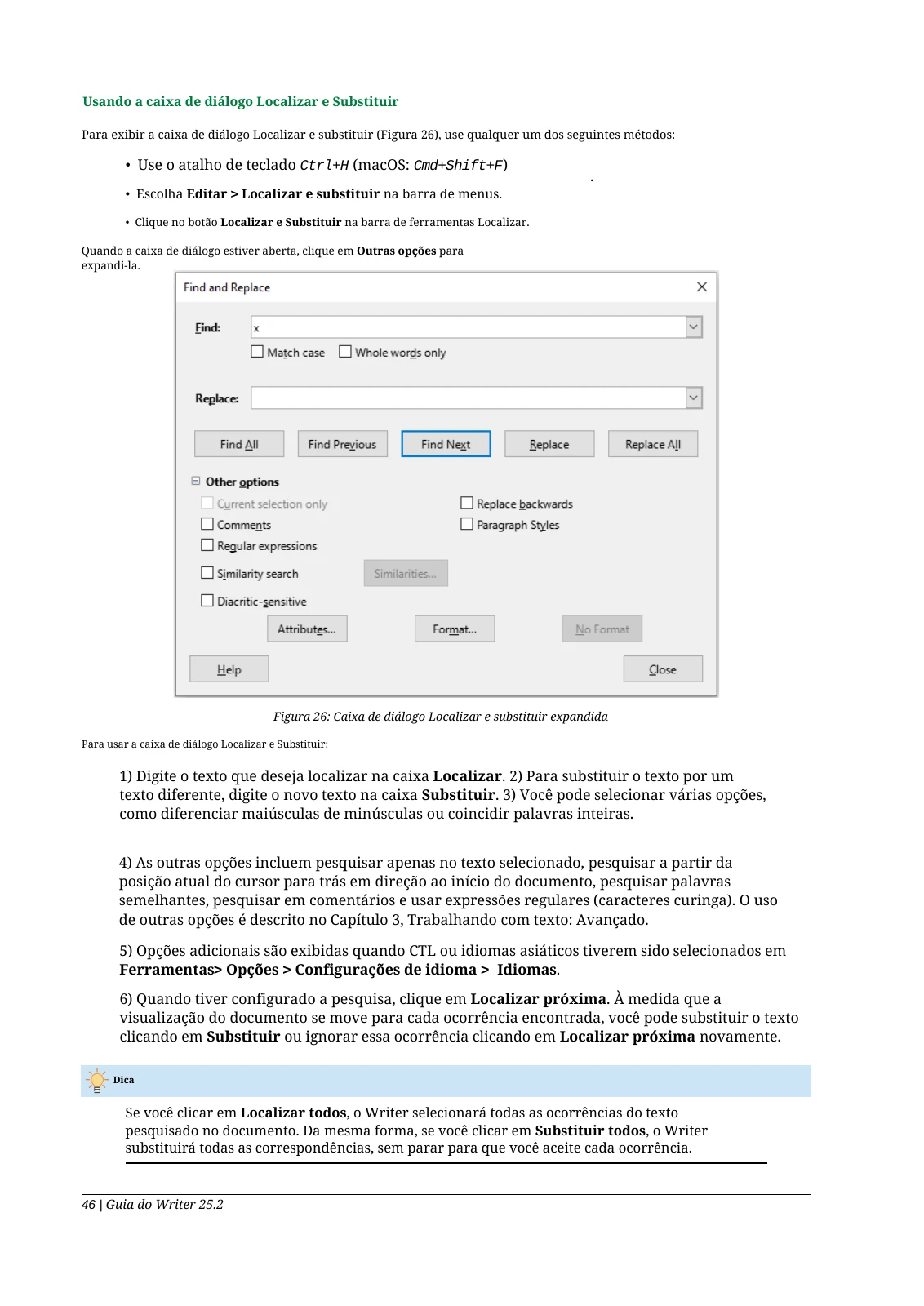
本页介绍软件的查找与替换。截图包含英文界面标签;示例不代表图片内文字翻译或安全关键操作的效果。 步骤编号仍然保留,但部分段落与步骤间距被合并。对话框截图保持英文,请结合原界面对照译后的命令名称。
韩语译文
阅读文字摘录
1) Type the text you want to find in the Find box.
2) To replace the text with different text, type the new text in the Replace box.
3) You can select various options, such as matching the case or matching whole words.摘自本页 PDF,仅归一换行与空格以便阅读,译文措辞保持原样。请打开 PDF 查看原始版式。
阅读文字摘录
1) 찾기 상자에 찾으려는 텍스트를 입력합니다. 2) 텍스트를 다른 텍스트로 바꾸려면 바꾸기 상자에 새 텍스트를 입력합니다. 3) 대/소문자 구분이나 전체 단어 일치 등 다양한 옵션을 선택할 수 있습니다.摘自本页 PDF,仅归一换行与空格以便阅读,译文措辞保持原样。请打开 PDF 查看原始版式。
葡语(巴西)译文
阅读文字摘录
1) Type the text you want to find in the Find box.
2) To replace the text with different text, type the new text in the Replace box.
3) You can select various options, such as matching the case or matching whole words.摘自本页 PDF,仅归一换行与空格以便阅读,译文措辞保持原样。请打开 PDF 查看原始版式。
阅读文字摘录
1) Digite o texto que deseja localizar na caixa Localizar. 2) Para substituir o texto por um texto diferente, digite o novo texto na caixa Substituir. 3) Você pode selecionar várias opções, como diferenciar maiúsculas de minúsculas ou coincidir palavras inteiras.摘自本页 PDF,仅归一换行与空格以便阅读,译文措辞保持原样。请打开 PDF 查看原始版式。