
Writer 指南:六個步驟與對話方塊圖示
原 PDF 第 46 頁
本頁介紹軟體的尋找與取代。螢幕截圖包含英文介面標籤;範例不代表圖片文字翻譯或安全關鍵操作的效果。 步驟編號仍然保留,但部分段落與步驟間距被合併。對話框截圖維持英文,請配合原介面核對翻譯後的指令名稱。
韓文譯文
閱讀文字摘錄
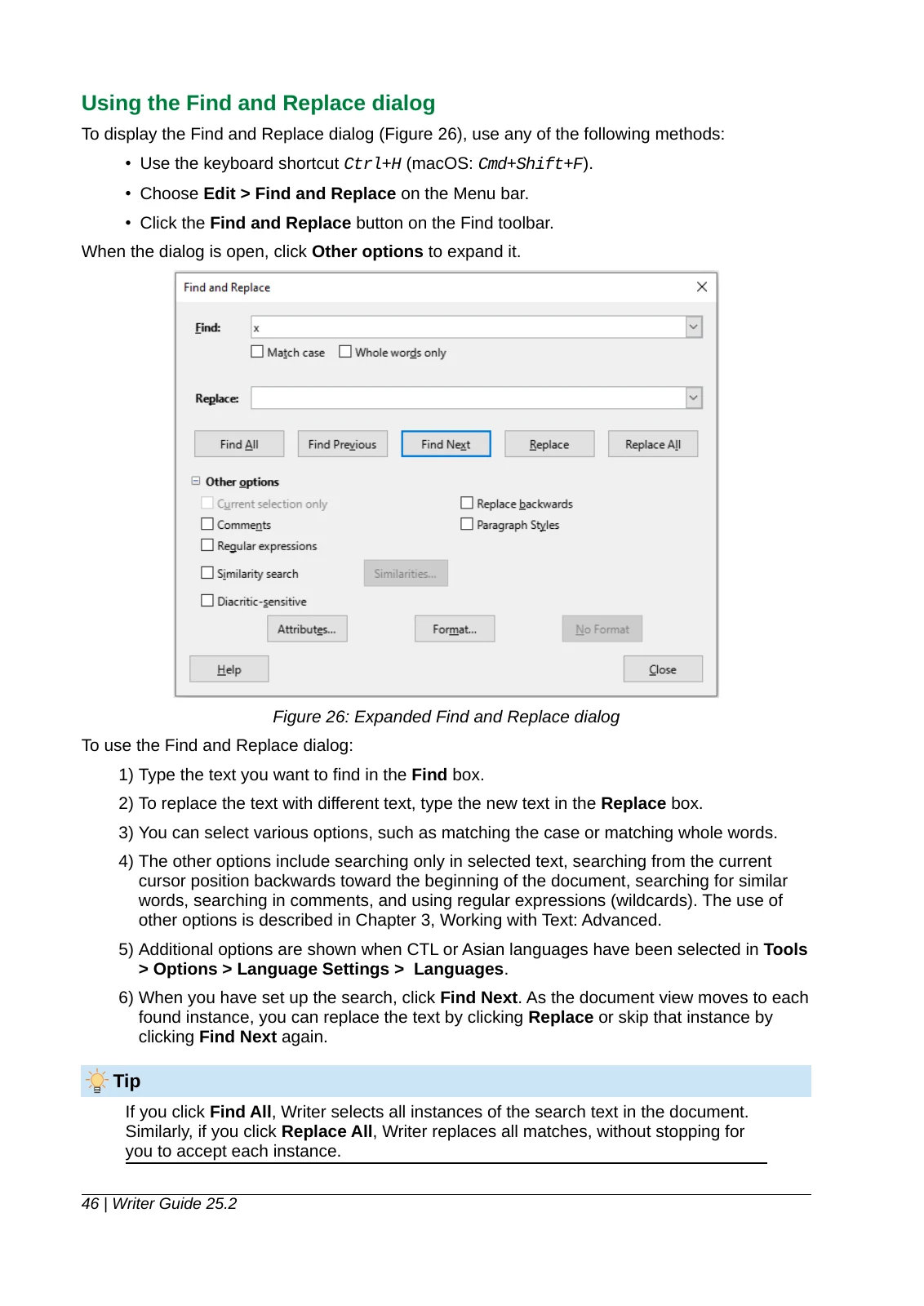
1) Type the text you want to find in the Find box.
2) To replace the text with different text, type the new text in the Replace box.
3) You can select various options, such as matching the case or matching whole words.摘自本頁 PDF,僅統一換行與空格以便閱讀,譯文措辭保持原樣。請開啟 PDF 查看原始版面。
閱讀文字摘錄
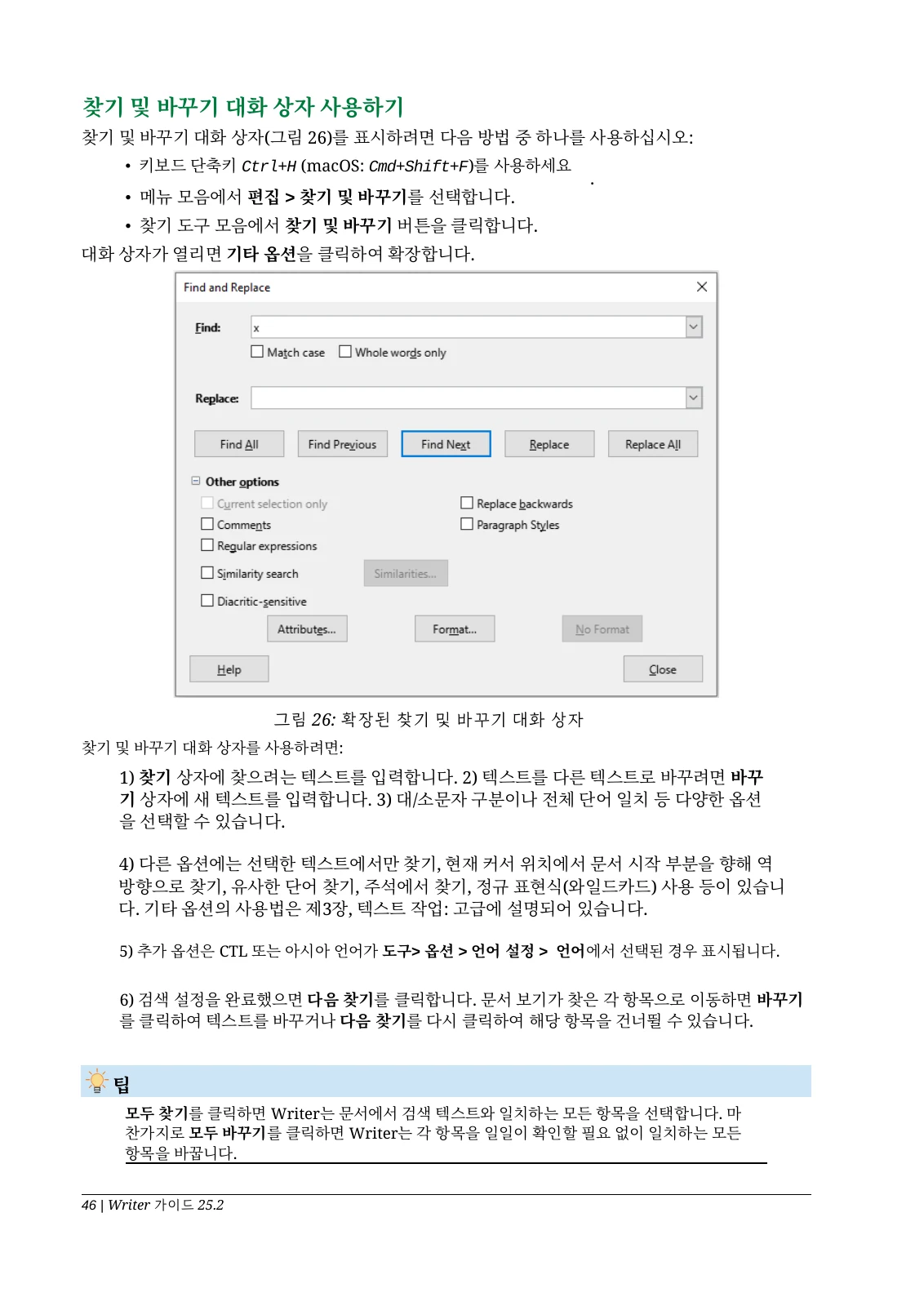
1) 찾기 상자에 찾으려는 텍스트를 입력합니다. 2) 텍스트를 다른 텍스트로 바꾸려면 바꾸기 상자에 새 텍스트를 입력합니다. 3) 대/소문자 구분이나 전체 단어 일치 등 다양한 옵션을 선택할 수 있습니다.摘自本頁 PDF,僅統一換行與空格以便閱讀,譯文措辭保持原樣。請開啟 PDF 查看原始版面。
葡萄牙文(巴西)譯文
閱讀文字摘錄
1) Type the text you want to find in the Find box.
2) To replace the text with different text, type the new text in the Replace box.
3) You can select various options, such as matching the case or matching whole words.摘自本頁 PDF,僅統一換行與空格以便閱讀,譯文措辭保持原樣。請開啟 PDF 查看原始版面。
閱讀文字摘錄
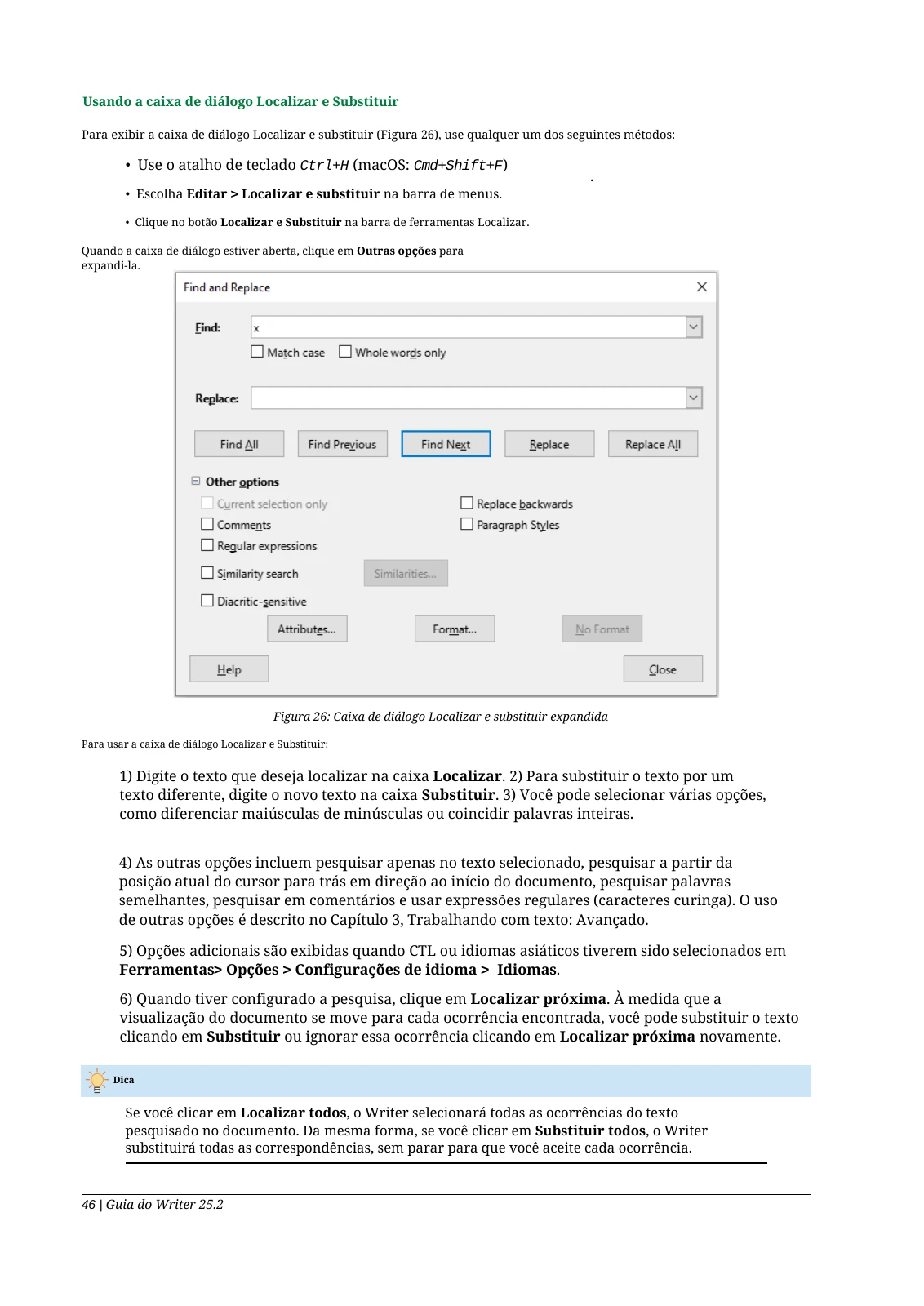
1) Digite o texto que deseja localizar na caixa Localizar. 2) Para substituir o texto por um texto diferente, digite o novo texto na caixa Substituir. 3) Você pode selecionar várias opções, como diferenciar maiúsculas de minúsculas ou coincidir palavras inteiras.摘自本頁 PDF,僅統一換行與空格以便閱讀,譯文措辭保持原樣。請開啟 PDF 查看原始版面。