
How to Check a PDF Translation Against the Original: Numbers, Terms, and Tables
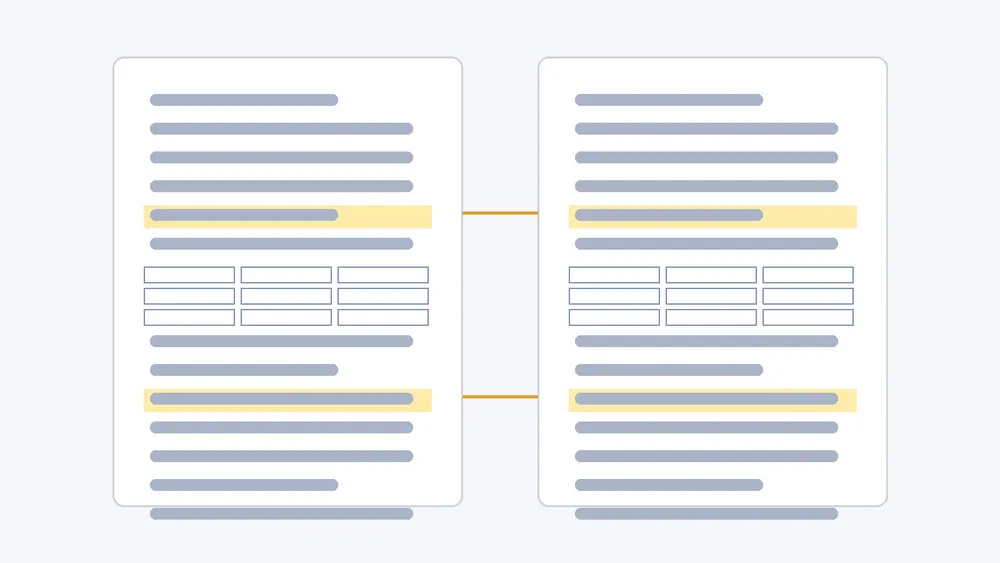
To check a PDF translation against the original, open the source and the translation together, ideally as one bilingual PDF, and review in separate passes: first numbers and units, then terms and names, then negations and conditions, then tables and figure references. Each pass looks for one kind of error, so you catch the mistakes fluent reading hides. This guide is about checking a translation you already have. If you still need to make the bilingual file, start with how to create a bilingual PDF for side-by-side review.
Why reading the translation alone is not enough
Translations of documents rarely fail by sounding wrong. They fail by sounding right while saying something slightly different: 230 V becomes 220 V, "do not remove" loses its "not", a row label slides into the next row, or a model number gets a letter changed. None of these stand out when you read only the target language. They show up when you look at the same spot in the source, which is why the source needs to stay visible.
Set up the comparison
- Keep the original digital PDF and the translation from the same file and the same revision.
- Put source and translation on one screen, side by side or one above the other. A bilingual PDF keeps both on the same page, so you do not have to keep two viewers in sync.
- Start a short review log with four columns: page, source, translation, issue. Write down problems instead of fixing them in your head.
- Decide what is in scope. For a long document, check every page with numbers, tables, or instructions, and sample the plain prose.
Pass 1: numbers, units, and dates
Scan the source for every digit and find its partner in the translation. Check the value, the unit, the decimal separator, ranges and tolerances, and dates. Watch for formats that legitimately change between languages, such as 1,5 versus 1.5, and confirm the meaning did not change with them. A number that appears in the source but not in the translation usually means a whole sentence is missing.
Pass 2: terms, names, and identifiers
List the terms that matter in your document: product and part names, interface labels, defined terms, abbreviations, and people or organization names. Check that each one is translated the same way every time, and that identifiers like model numbers, standards, and citations are copied exactly. If the original uses a label that appears on a real screen or device, keep the original label visible next to the translation where readers need it.
Pass 3: negations, conditions, and scope
Search the source for small words that change meaning: not, only, unless, before, after, at least, at most, must, may. Read each sentence pair and confirm the translation keeps the same condition and applies it to the same thing. Warnings and notes should still sit next to the step they belong to.
Pass 4: tables, formulas, and figure references
Tables are where layout errors hide. For each table, compare the header row, the first column, and one full row against the source cell by cell. Confirm that figure and table numbers in the text still point to the right figure, and that captions stayed with their figures. For formula-heavy pages, check symbols, subscripts, and the equation numbers that the text refers to; the math equations guide covers what to look for. Remember that text inside images, such as labels in a screenshot or diagram, may stay in the original language.
What to do with the issues you find
Group the log by type. A one-off mistranslation can be fixed in place. A pattern, such as one term translated three different ways, means you should agree on the term and recheck every occurrence. If the issues come from the file itself, for example scanned pages or broken text, fix the source PDF first; checking a scanned PDF before translating explains how to tell. For documents with legal or safety consequences, have a qualified reviewer sign off; a machine translation checked this way is a reading and review copy, not a certified translation.
Using iSomor for the comparison
In iSomor, upload an original digital PDF, choose a language, and read the result beside the source, side by side or one above the other. When it is ready you can download a translated PDF for reading or a bilingual PDF for checking and sharing. iSomor keeps tables, charts with captions, and formulas in context where possible, which makes the pass-by-pass check easier, but names, numbers, specialist terms, and complex layouts should still be checked against the original. Scanned PDFs, even after OCR, are not supported.
FAQ
How long does a full check take?
It depends on how many numbers, tables, and instructions the document has. Checking every page with figures and sampling plain prose is usually more useful than reading every sentence once.
Can I check only part of a long PDF?
Yes. You can translate only selected PDF pages and check those first, which is a good way to agree on terms before processing the whole file.
Is a checked translation a certified translation?
No. A careful review makes a translation more reliable to read, but certification is a separate process done by a qualified translator or authority.
Should I check side by side or one above the other?
Side by side works well for columns of prose. One above the other is often easier for wide tables, because each row stays at full width.